
Search
Close this search box

What Is WebRTC? A Complete Guide to Browser-Based Video Calls, Voice Calls, Live Chat, and Peer-to-Peer Communication

shares

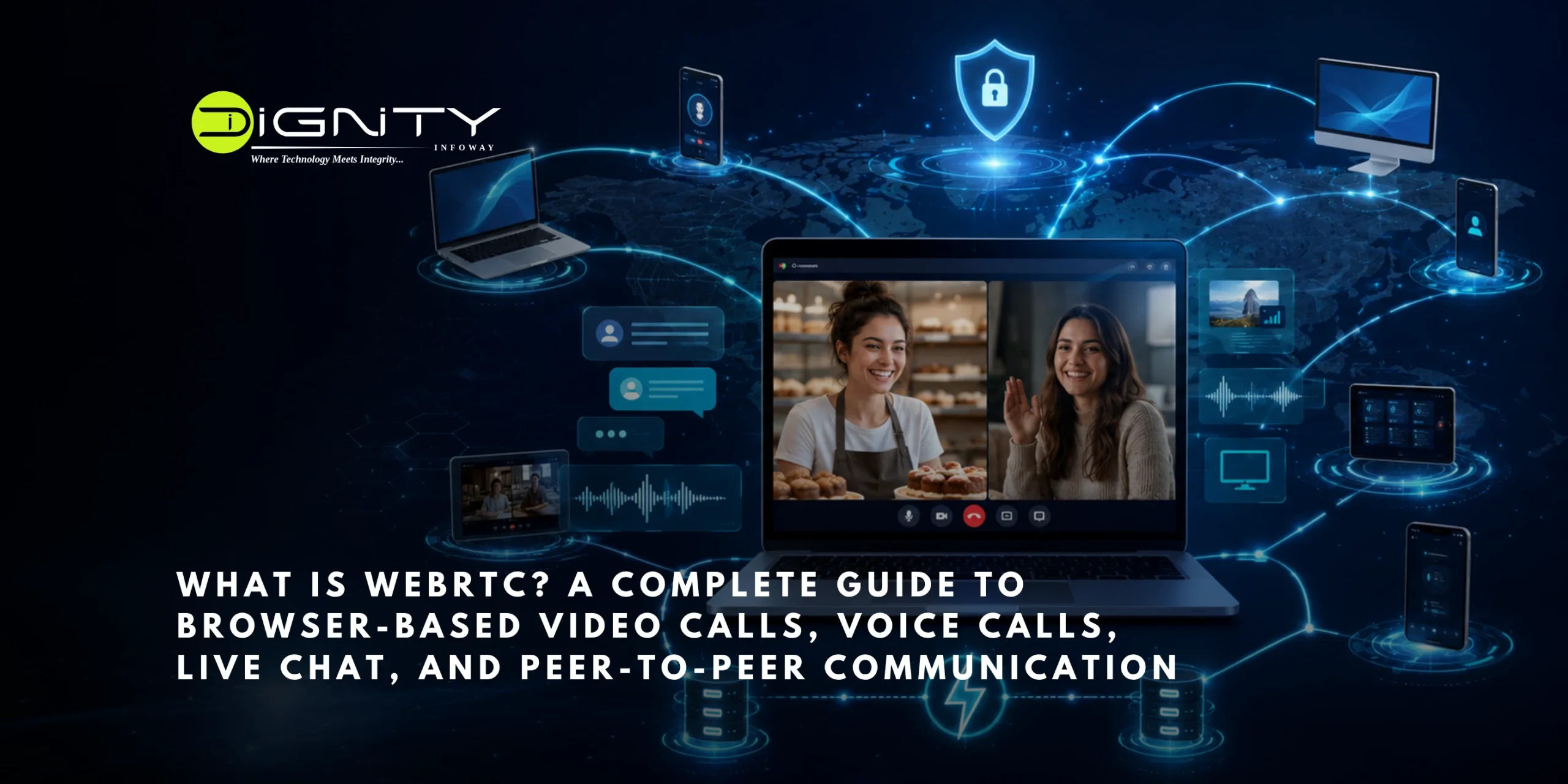
Meet Riya. She runs a small online bakery from her home. One morning a customer messages her: “Can I actually see the cake before I order it?” Riya does not have an app. She does not want her customer to download anything. She just wants to open a video call, right there in the browser, and show off her work.
She clicks a link. The camera turns on. Her customer’s face appears. They talk, they laugh, the customer points at the design she wants, and the order is placed. No installs, no plugins, no fuss.
The invisible magic that made that call possible is called WebRTC. This guide follows Riya’s simple call from start to finish, and by the end you will understand exactly how browser-based video calls, voice calls, live chat, and direct connections between people really work.

What Is WebRTC?

WebRTC stands for Web Real-Time Communication. In simple words, it is a free technology that lets browsers and apps send video, voice, and data to each other directly, live, without any extra software.
It is the reason Riya could start a call by just clicking a link. It is also the reason Google Meet, WhatsApp Web, Discord, and many customer support chat widgets work the way they do.
Google created WebRTC in 2011 and later gave it to global standards groups so it could become an open web standard that anyone can use. Today every major browser supports it, including Chrome, Firefox, Safari, and Edge. Nobody owns it. Nobody charges for it. Anyone can build with it.

Why WebRTC Matters

Before WebRTC, a call like Riya’s was a nightmare. To do video in a browser, people needed plugins like Flash or Java. These were slow, unsafe, and different on every browser. Customers had to install things they did not trust, and half of them gave up before the call even started.

WebRTC fixed all of that in a few big ways.

You do not install anything. You click and you are in. That single change removed the biggest reason people used to abandon calls.
The call can go directly between two people. Instead of every video frame passing through a company’s server, it can travel straight from Riya’s laptop to her customer’s phone. This makes it faster, cheaper, and more private.

Everything is locked. Every WebRTC call is encrypted automatically. There is no button to turn security off, even if you wanted to.

Because it is free and open, it spread everywhere, from tiny startups to giant companies.

The Three Building Blocks of WebRTC

To understand what really happened during Riya’s call, it helps to know the three main parts of WebRTC. Think of them as three tools that work together.
  1. Getting the camera and microphone
The first thing that happened was the browser asking Riya, “Do you allow this site to use your camera and microphone?” She clicked yes. That permission step is handled by a WebRTC feature that captures her camera and mic and turns it into a live stream. This is always the starting point. No stream, no call.
  1. Making the connection
Next, WebRTC had to actually connect Riya’s laptop to her customer’s phone. This is done by a part called the peer connection. It does an enormous amount of quiet work. It squeezes the video down to a sendable size, deals with a shaky internet signal, adjusts the quality when the network gets weak, and keeps everything encrypted. The best part is that Riya’s developer did not have to build any of that. WebRTC handles it.
  1. Sending extra data
During the call, the customer typed a message: “Can you make the flowers pink?” That text did not need to go through a server. WebRTC has a feature that lets two people send any kind of data directly to each other, live. It is used for chat messages, sharing files, syncing games, and more. It is fast because it takes the short, direct route.

How WebRTC Actually Works: Following Riya's Call

Here is the part that surprises most people. The hardest job in WebRTC is not sending the video. It is helping two devices find each other in the first place.
Riya’s laptop is sitting behind her home router in one city. Her customer’s phone is behind a mobile network in another city. Neither one knows how to reach the other. Solving this is the real work. Let us walk through it step by step.

Step 1: The introduction (signaling)

Before Riya and her customer can talk, something has to introduce them. This is called signaling. It is like a mutual friend passing notes between two people who have not met yet.

Through this introduction step, the two devices swap notes that say things like “I can send video in this format, can you receive it?” One device sends an offer, and the other sends back an answer. Interestingly, WebRTC does not build this note-passing part for you. The developer sets it up, usually with a small always-on connection. Many newcomers are surprised by this, but it keeps WebRTC flexible.

Step 2: Finding a route to each other

Once they have introduced themselves, the two devices still need to find an actual path across the internet to reach each other. WebRTC gathers a list of possible routes and tests each one until it finds a path that works. It is a bit like trying every door in a building until you find the one that opens.

Step 3: Asking "what is my address?" (STUN)

Here is a hidden problem. Riya’s laptop does not actually know its own public internet address, because her home router hides it. So her laptop asks a simple helper called a STUN server one question: “When you look at me, what address do you see?” The STUN server replies with the answer. Now Riya’s laptop knows the address it can share with her customer. These helpers are cheap and light because all they do is answer that one question.

Step 4: The backup plan (TURN)

Sometimes, because of strict office firewalls or unusual networks, a direct path simply cannot be found. When that happens, WebRTC uses a backup helper called a TURN server. This server sits in the middle and passes the video between the two people. It is not as ideal as a direct connection because it costs more and adds a little delay, but it makes sure the call connects no matter what. In the real world, about one in six calls needs this backup, so you cannot skip it if you want reliability.

Step 5: The call goes live, and it is locked

Once a path is found, the video and voice start flowing, fully encrypted. Nobody in between can listen in. Riya sees her customer, the customer sees the cake, and the whole thing is private and secure by default. This built-in safety is one of the biggest reasons hospitals and banks trust WebRTC.

WebRTC for Video Calls

Riya’s video call is the most common use of WebRTC. The idea is simple. Each person’s camera becomes a live stream, the two devices connect, and each side sends its own video while receiving the other person’s video. The incoming video shows up on screen.
WebRTC quietly does the hard parts. When Riya’s internet slowed down for a moment, the video dropped to a lower quality instead of freezing completely. That smart adjustment is automatic. For big group calls with many faces, sending video directly to everyone becomes too heavy, so most apps add a helper server in the middle. We will get to that soon.

WebRTC for Voice Calls

A voice-only call works just like a video call, but without the picture. WebRTC uses a very good audio format called Opus that sounds clear even on a weak connection.

It also cleans up the sound for you. It removes echo, so you do not hear yourself bouncing back. It cuts background noise, like a fan or street traffic. And it keeps the volume steady. All of this runs inside the browser, which is why a WebRTC voice call often sounds cleaner than a normal phone call.

WebRTC for Live Chat and Sharing Files

Remember when Riya’s customer typed “make the flowers pink” during the call? That used the data-sharing part of WebRTC, and it can do far more than chat.

It can carry text messages that appear instantly. It can send files directly from one person to another, which is faster and more private than uploading to a server first. It can sync online games so players move together in real time. And it powers shared tools like whiteboards where you can see the other person’s cursor moving live. Because it can be tuned for speed, it is perfect for anything that needs to feel instant.

One-to-One Calls Versus Group Calls

People often assume that because WebRTC connects people directly, it never needs servers. That is only half true. Even Riya’s simple call needed a few small helper servers to introduce the devices and find a route. And once you go beyond two people, servers become much more important.
Imagine Riya later hosts a live baking class for five students. There are three common ways to handle this.
The first way connects everyone directly to everyone else. It is simple, but it does not scale. With five people, each device has to send its video to four others and receive four videos back. That quickly drains battery, data, and processing power. It only works for very small groups, like three or four people.
The second way, and the most popular, uses a smart middle server. Each person sends their video just once to this server, and the server forwards it to everyone else. This is much lighter on each person’s device while keeping the quality high. Most modern video apps use this method.
The third way mixes all the videos into one combined video on the server and sends that single video to everyone. This is very easy on people’s devices but heavy on the server, and it gives less control over the layout. It is less common today.

Where WebRTC Is Used in Real Life

WebRTC quietly runs a huge part of daily communication. Video meeting apps use it for browser calls. Websites use it for live video and voice support, so you can talk to a real person instantly. Doctors use it for safe online consultations. Teachers use it for virtual classrooms and tutoring. Social apps use it for calling. Live shopping and auction platforms use it because it has almost no delay, which matters when every second counts. Even some security cameras use it to stream video with very little lag.

The Good and the Not So Good

WebRTC is powerful, but being honest about both sides helps you plan well.
On the good side, it is very fast, usually under half a second of delay, which makes conversations feel natural. It is free. It is secure by default. It works on all major browsers with no plugins. It saves server costs for direct calls. And it keeps improving because a large community and the browser makers keep updating it.
On the harder side, you have to build the introduction step yourself. Getting past firewalls can be tricky, and the backup TURN servers cost money. Group calls need extra server setup. Browsers still behave a little differently sometimes, especially on iPhones. And fixing live call problems can be difficult because they often depend on someone’s specific network, which is hard to copy.
For teams that do not want to handle all this, there are companies that offer ready-made WebRTC infrastructure as a paid service, so you can focus on your app instead of the plumbing.

A Simple Way to Think About Building With WebRTC

If you are a developer about to build something like Riya’s call, here is the whole picture in one breath. You need a way for two browsers to pass introduction notes. You capture the camera and mic. You create a connection on each side, swap the offer and answer, and swap the route information as it is found. Once connected, video and data flow directly. You provide the STUN and TURN helpers so devices can find each other. That is the entire journey. Everything else is polish on top.
A great first project is a simple one-to-one video call. Once that works, you understand most of WebRTC. Group calls and fancy features grow naturally from there.

How Dignity Infoway Can Help You Add WebRTC to Your Website or App

Reading about WebRTC is one thing. Building it into a real business, the way Riya added video to her bakery, is another. This is where most people get stuck. The introduction step, the STUN and TURN helpers, the group-call server, the mobile quirks on iPhones, all of it takes real experience to get right.
That is exactly the kind of work we handle at Dignity Infoway.
We are a web development and digital solutions agency based in Rajkot, Gujarat, and we help businesses add real-time communication to their websites and apps without the headache. Whether you want a simple one-to-one video call button, a live voice-support widget, an online consultation feature for doctors or teachers, or a full group-calling platform, we plan it, build it, and make sure it works smoothly across browsers and phones.
Here is how we can help you:
We build browser video and voice calling that starts with a single click, no downloads for your customers. We set up secure, encrypted connections so your users’ calls stay private. We handle the tricky parts for you, including signaling, STUN, and TURN servers, so your calls connect reliably even on difficult networks. We add live chat, file sharing, and screen sharing on top of your calls when you need them. We build group-call features using the right server setup so quality stays high as more people join. And we integrate everything neatly into your existing website, WordPress site, or custom app.
You focus on your business. We handle the technology behind the call.

FAQs

Q1. Is WebRTC free to use?

Yes. WebRTC itself costs nothing. You may still pay for helper servers like TURN and for group-call servers, but the technology has no license fee.

Q2. Is WebRTC secure?

Yes. Every WebRTC call is encrypted automatically, and there is no way to turn that off.

Q3. Does WebRTC work on phones?

Yes. It works in mobile browsers and can also be built into iPhone and Android apps.

Q4. Do I need a server for WebRTC?

You need a small server to introduce the two devices, plus helper servers for finding a route. The video can go directly for one-to-one calls, but group calls usually need a middle server.

Q5. What is the difference between WebRTC and a normal chat connection?

A normal always-on connection always passes through a server and is great for text. WebRTC is built for live video, voice, and instant data, and it can connect two people directly. Many apps use both together.

Conclusion

Riya never saw any of this. She just clicked a link, showed a cake, and got an order. That is the whole point of WebRTC. It takes something genuinely complex, connecting two devices anywhere in the world with live, private video, and hides it behind a single simple click.
By handling the camera, the connection, and the direct data channel for you, WebRTC gives anyone the power to build video calls, voice calls, live chat, and direct connections without becoming a networking expert. It has its challenges, especially around introductions, firewalls, and group calls. But its speed, built-in security, open and free nature, and support in every browser have made it the quiet engine behind modern real-time communication.
The next time a video call opens in your browser with no download and no wait, you will know exactly what just happened behind the scenes.

Ready to Add Video, Voice, or Live Chat to Your Website?

Let Dignity Infoway build it for you, start to finish. From a simple video call button to a full calling platform, we make real-time communication work for your business.

Get a free consultation today.

Call or WhatsApp us: +91 99746 96596 Email us: [email protected] Visit us: https://www.dignityinfoway.com
Dignity Infoway Pvt. Ltd., Rajkot, Gujarat. Your partner in web development and digital solutions.
Tell us what you want to build, and we will show you the simplest, most affordable way to make it happen.

🖐️ Hello !

Let’s Talk with us

Newsletter

Feel free to reach out if you want to collaborate with us, or simply have a chat.

Email

New York

1772 Street Charleston, New York

London

1772 Street Charleston, New York

© 2024-25 Dignity Infoway Pvt. Ltd

Newsletter

Stay updated with the latest tech insights and solutions from Dignity Infoway. Subscribe to our newsletter for exclusive updates!

Email

    INDIA

    508 Vyanktesh Vogue, 150 feet ring road
    Indira circle,
    Rajkot - 360007,
    India

    © 2024-25 Dignity Infoway Pvt. Ltd